MCP tool name vs pinned operation restriction
The mcp tool name vs pinned operation restriction question: blocks match the advertised label or the pinned operation, allows only the operation. Here is the threat model behind the asymmetry.
 Uday Gajavalli
8 min read
Uday Gajavalli
8 min read
A tool gets renamed on a Tuesday
A connector in your catalog advertises a tool called delete_contact. You block it for the Member role and move on. Six weeks later someone with rights to edit that connector renames the tool to archive_contact. Nothing about the outbound call changed. Same resource, same method, same destructive effect on the same records. Only the label moved.
This is the mcp tool name vs pinned operation restriction problem, and it is not a Model Context Protocol wire-format issue. The MCP spec at modelcontextprotocol.io does not define permission semantics at all, it defines how tools are listed and called. The problem below is what any system layering role-based access control on top of MCP has to solve: what a rule matches against when the same operation can be advertised under two different names at two different points in time. What follows describes how Elaichi, an MCP gateway that sits in front of your connector catalog, resolves it. If you are building your own authorization layer over MCP, the same asymmetry applies regardless of implementation.
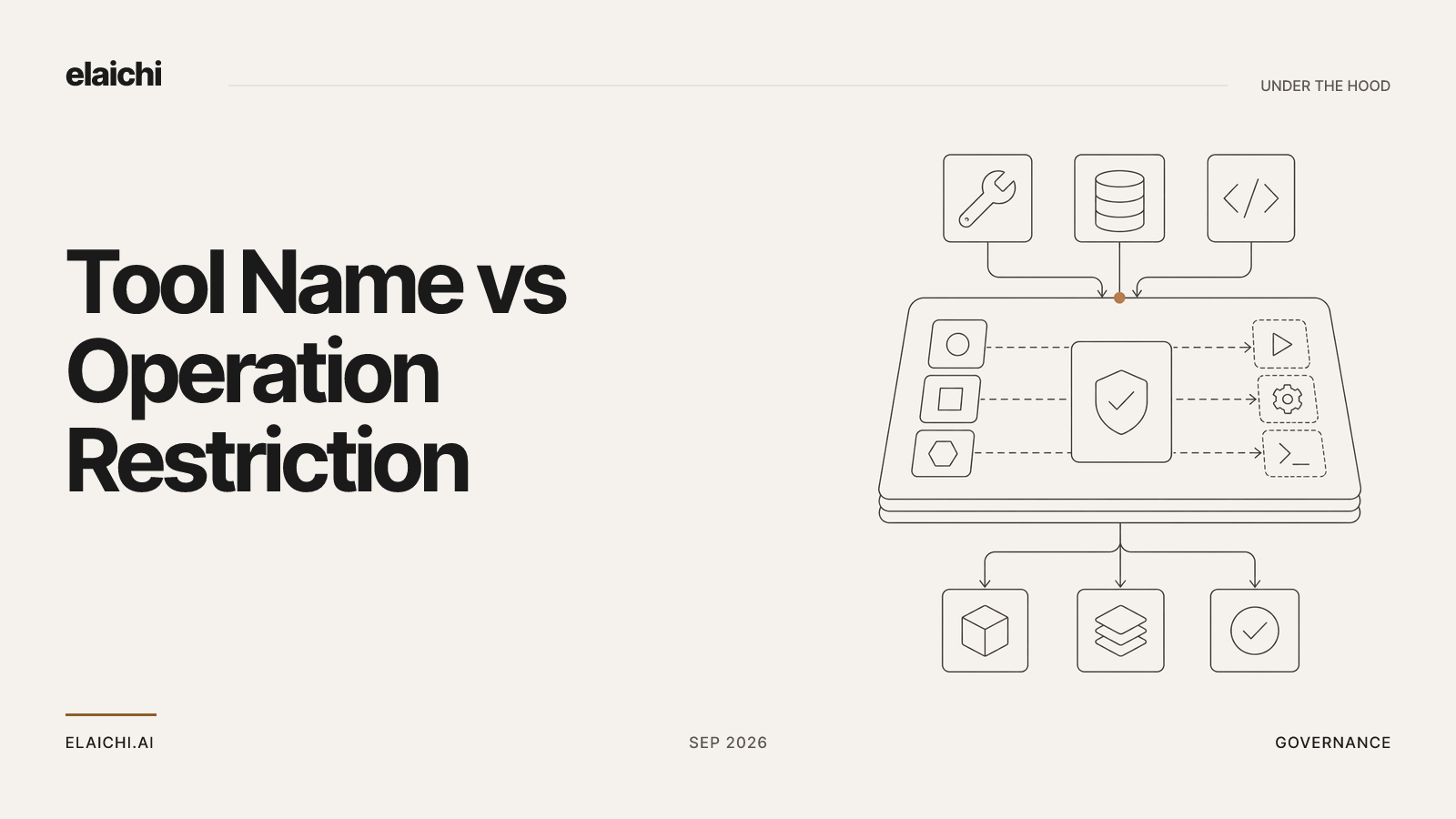
If restriction rules matched on the label alone, that block just stopped applying. If allow rules matched on the label alone, a rename in the other direction would carry an operation into an allowlist that was never written to hold it. Elaichi resolves it asymmetrically. A block matches the advertised tool name or the pinned operation. An allow matches the pinned operation only.
The asymmetry looks arbitrary until you work out who controls each of the two strings.
What actually gets stored when you save a rule
You write a rule in the terms the console shows you: pick a connector, pick a tool, choose allow or block, choose a target. Underneath, at write time, that selection is resolved against the catalog and the canonical (resource, method) pair is pinned onto the stored rule. The label you clicked is retained. The operation it referred to at the moment you clicked it is retained next to it.
Pinning happens at write time rather than evaluation time on purpose. Resolving the label to an operation at evaluation time would mean every call re-derives what your rule meant from whatever the connector says today. The rule would then be a query against mutable documentation rather than a decision you made. Pinning turns the rule into a record of an intent that was true when an administrator formed it.
Two other properties of the rule are worth stating in the same breath, because they decide which rule is even in play.
restriction targets are role or user only; the organization default is the absence of a rule, which means allow everything. An organization cannot restrict itself as a unit, only its roles and its users.
Precedence runs user override, then role rule, then organization default. A user-targeted rule replaces the role rules for that user rather than layering on top of them. Within whichever layer wins, allow rules union, block rules union, and blocks always beat allows.
MCP tool name vs pinned operation restriction, stated precisely
For a given call, once the winning layer is chosen, the two rule types differ on exactly one axis:
| Matches on advertised name? | Matches on pinned (resource, method)? |
Effect when absent from winning layer | Effect on the other rule type | |
|---|---|---|---|---|
| Block | Yes | Yes (either is sufficient) | No restriction from this axis | Always wins over an allow on the same call |
| Allow | No | Yes, only | Layer defaults to allow-all | Loses to any matching block |
Four consequences follow directly from that table:
- A block rule matches if the advertised tool name matches, or if the pinned
(resource, method)matches. Either one is enough. - An allow rule matches on the pinned
(resource, method)only. The advertised name is not consulted. - The allowlist stage engages on the presence of an allow rule in the winning layer, not on its contents.
- Blocks are evaluated last in effect: a tool that clears the allowlist and is also blocked is denied.
Read as a pair, those two matching rules have one shared property. Every axis that a block may match on makes the system stricter, and the axis that a block gains over an allow is the one an outsider can edit. Strictness is allowed to depend on a mutable string. Permission is not.
Why the label is a token the governed party controls
A tool's advertised name lives in a connector's configuration. Connectors can be authored from JSON config inside your organization, forked from a public connector, and edited afterward. connector:create is flagged high trust for exactly this family of reasons, because a custom connector can be pointed at any destination.
So the name is not an immutable property of an operation. It is a label attached by whoever maintains the connector, and the person who maintains a connector is frequently not the person who wrote the restriction. In a governance model, a string that the governed side can change must never be the thing that grants reach.
Work through the two failure directions.
If an allow matched on the name, an editor could rename an unwanted operation into a name your allowlist already covers, and the operation would pass. The allowlist would have been widened by a documentation edit, silently, with no rule change and no approval.
If a block matched only on the pinned operation, a rename would not defeat it, because the pin is what matters. But consider a tool whose entry is re-pointed, or a rule written before the catalog entry settled. Matching the name as well gives you a second, independent way for the block to catch. Neither axis can grant anything. The worst case of a false positive on a block is that a call is denied and an administrator adjusts the rule.
That is the whole argument. Governance binds the operation. The name match on blocks is a safety net, and a safety net is only ever allowed to catch.
An allow rule that names nothing denies everything
Note that the allowlist stage engages on the presence of an allow rule, not its contents, so an allow rule that names nothing denies everything. It is not a no-op. It is a total denial for that target.
This is easy to save by accident while trying to record "no restrictions decided yet." The way to express that state is no rule at all, since the default in the absence of a rule is allow-all. If you find a role that can suddenly reach nothing, check for an empty allow rule before you check anything else. It is the single most common misconfiguration this model produces.
Four enforcement points, one resolver
The same resolver runs at four points, browse, connect, advertise, and execute, plus a final check on the fully substituted outbound URL. Each point answers a different question:
- Browse. Can this role see the connector exists in the catalog at all?
- Connect. Can this role establish a connection to it?
- Advertise. Is this specific tool included in the list an MCP client receives?
- Execute. Does the actual call, with its actual resolved arguments, pass the same allow/block logic?
The advertise point is the one that changes what a model can even attempt. A tool restricted for a role is never advertised over MCP to a member of that role. The model is not told the tool exists, so it cannot pick it, cannot guess at it from a list, and cannot call it. Restricted tools are also excluded from the tool count that decides whether the endpoint collapses the connected half behind search_tools and execute_tool. They were handed to nobody, so they do not count toward anybody's budget.
And execute_tool is only a naming indirection. It unwraps to the same tool name and the same arguments and falls through the identical gates at the execute point. There is no second execution path with weaker matching.
One timing note that people get wrong. Restriction changes resolve through a 60s cache plus edge propagation, so a saved change takes effect about two minutes, on MCP, the console and the REST surface alike. It is not the next call. removing or suspending a member revokes every live grant in the same transaction as the membership change
Forked connectors carry a declared lineage
A fork inherits more than its config. A forked connector's identity includes its declared lineage, walked to the root. That walk is block-only, and it fails closed if the chain is truncated or cyclic. An unwalkable lineage is treated as blocked, not as unrestricted. Blocking a public connector for a role therefore also catches the fork somebody made of it, without an administrator having to enumerate forks they may not know about.
The host a connector dials is deliberately not an identity signal. Two connectors that hit the same domain are not the same connector, and a connector that changes host is not a new one. Identity comes from the catalog entry and its declared parentage, not from where packets end up.
Frozen parameters cover arguments, not operations
Restrictions decide whether an operation is reachable. Frozen parameters decide what a reachable operation may be called with. They are a per-entry map over the tool's flattened argument space, and they have two effects at once: frozen keys are stripped from the advertised schema, so the model never sees them, and frozen values are merged over caller arguments at execution, so passing the key anyway cannot un-freeze it.
The precedence to remember is entry defaults, then caller or model arguments, then frozen parameters. Each stage can override the one before it, and frozen parameters override everything. Freezing a workspace identifier is a narrowing of scope inside a tool you have already decided to allow. It is not a substitute for a block on a tool you have decided nobody should reach.
Writing a rule that survives a rename
The practical version of all of the above is short. Write blocks against the destructive operations you actually mean, at the role level, and keep them. Write allows sparingly, knowing that the first allow you save flips the target into deny-by-default. Re-check an allowlist after a connector is forked or pulls upstream changes, because new tools arriving upstream are new operations, and an allowlist will keep them out until somebody adds them.
Afterward, the audit trail is where you confirm the rule did what you expected. one entry per tool-call attempt, succeeded or failed Argument names and counts are recorded; argument values never are. actor_kind is a recorded field rather than something inferred later, and ai_assistant is one of its values, so "was this an agent or a person" is answered from the record instead of from a user agent string.
When none of this is your problem yet
If your organization has one connected account, three people, and everybody is equally trusted with it, the resolver has nothing to resolve. The absence of rules is allow-all, and that is a defensible position while the blast radius is a single workspace you can inspect by hand. The matching asymmetry starts to matter when connectors are forked or authored in-house, when the people who edit a connector are not the people who set policy, and when roles differ enough that one of them should not see a tool exists. It also matters once the access itself stops being per-person, which is the shift described in moving off a per-user MCP URL.
Related resources
If you are past that point, the connector catalog is at 450+ and browsable per app, for example Airtable or Asana. The product overview covers how roles, restrictions and the single MCP endpoint fit together, use cases by team shows what each group typically needs reachable, and the security page covers residency, audit tenancy and key management.