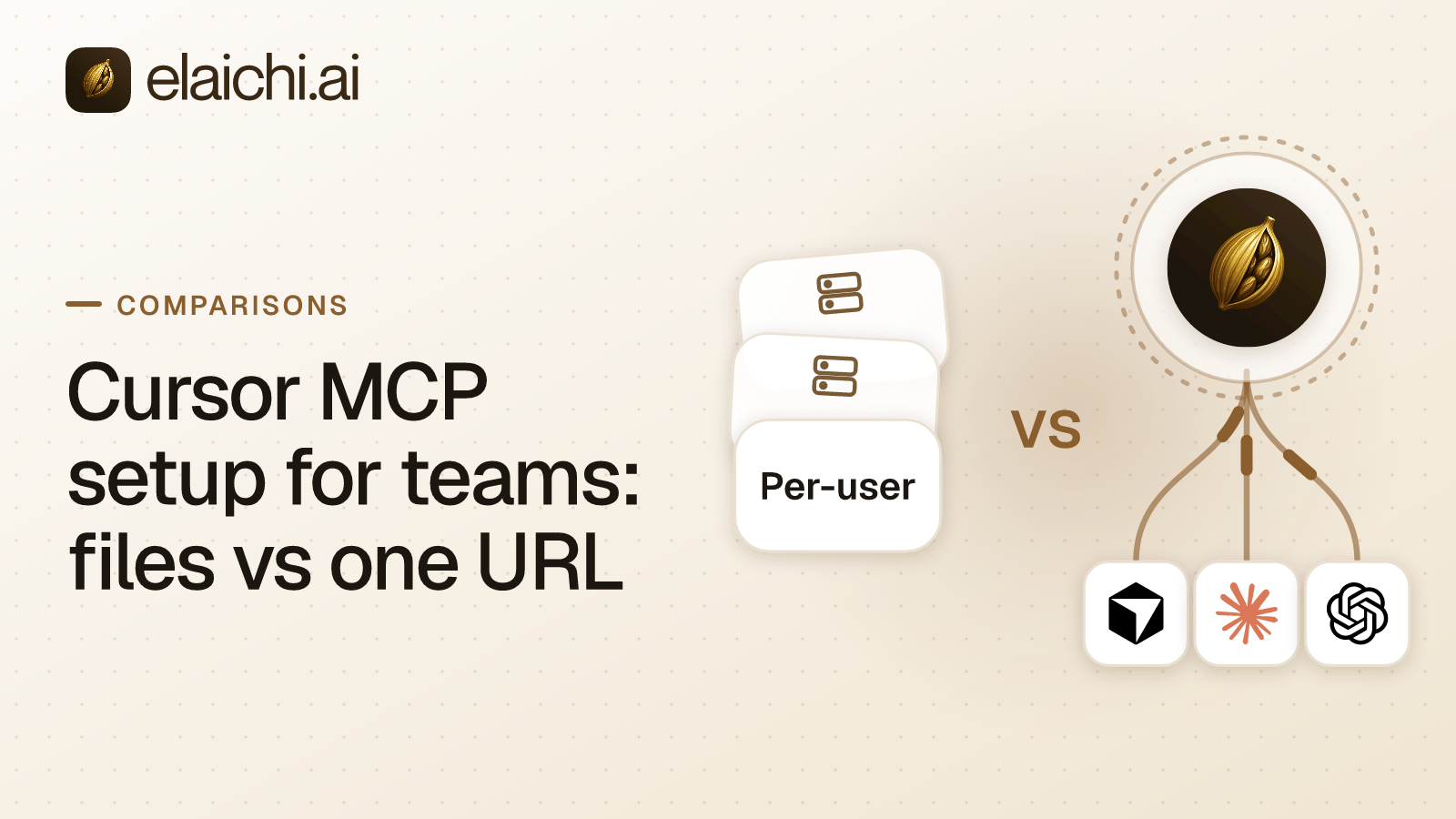
Why does Cursor MCP setup for teams fork into one JSON file per developer?
Because the default unit of configuration is a file on a laptop. Cursor MCP setup for teams starts as one JSON block per developer, each naming a command the editor spawns as a local process, each carrying its own address and often its own secret. MCP is the Model Context Protocol (Cursor MCP docs, checked September 2026), the standard an AI client uses to call tools in other software. Forty developers means forty copies of the wiring, and nobody holds a list of what those copies contain.
The local process needs local credentials for whatever it dials. Five developers querying the same staging database means five sets of database credentials on five machines. A tool change means five configuration pushes. Nothing central records what the editor asked for.
The failure modes are ordinary rather than exotic. One developer adds a server nobody reviewed. Another pastes a token into a group chat to help a new joiner. Someone else edits an entry and tells no one. When the laptop goes back to the leasing company, the security team cannot say which credentials were on it.
The per-member variant of the same shape looks centralized and is not. Zapier MCP tells admins to "give each user their own server and token rather than sharing one" (https://docs.zapier.com/mcp/manage/rollout/overview, checked September 2026). For clients not on its list, a connection token is long-lived and tied to one server. It "grants whoever holds it the ability to run the server's tools" (https://docs.zapier.com/mcp/overview/how-connections-work, checked September 2026). What happens to a member's server when that member leaves the Zapier account is not stated on Zapier's security page, so put the question to Zapier rather than assuming an answer. The address-model comparison is set out in one endpoint instead of one per user.
What replaces the config file when the address is one endpoint?
The two shapes read differently on the axes an admin actually cares about:
| Dimension | Per-developer JSON config | One organization-wide MCP endpoint |
|---|---|---|
| Address | One URL per toolbox per laptop | One URL for the whole organization |
| Client-side artifact | JSON file with embedded token | OAuth sign-in in the client |
| Where credentials live | On each laptop | Central credential service (AES-256-GCM at rest) |
| Adding a tool | Edit every laptop's file | Add once, everyone gets it on the next call |
| Revoking a member's access | Recover and revoke each token | Remove the member, next call fails |
| Audit trail | Nothing central | One entry per tool-call attempt with the account named |
| New connector | Publish and coordinate a rollout | Connect once at the org level |
| Rate limiting and quotas | Per token, if the server does it | Per role or user, centrally |
One organization-wide MCP endpoint, which is a single HTTP address a client sends requests to. In Elaichi that address is POST /mcp: standard MCP over Streamable HTTP, JSON-RPC 2.0, stateless, behind OAuth. There are no per-toolbox URLs and no embedded tokens, and there is no MCP server to create, list or revoke per developer. The address does not vary. The grant behind it does.
Stateless is the part engineers should care about. No session holds the caller's identity between requests, so each request is authorized on its own terms. A client that reconnects resolves to exactly the same set of tools. A grant is the record that a given client may act for a given member. The developer in Cursor signs in once against the endpoint instead of holding a string that works anywhere it is pasted.
Cursor does not run the tool in that shape. It sends a request to Elaichi, which routes the call to the target system under the caller's role. Exactly one role per member, enforced by a unique index, so every role is a complete persona rather than a bolt-on. A member sees only what they own or what was explicitly shared with them, and no organization-level permission silently widens a listing.
Connector credentials are not in Elaichi at all. A separate credential service holds per-account secrets, encrypted with AES-256-GCM at rest, and owns refresh. A failed refresh marks the connection needs_reauth rather than failing quietly. A connect URL handed back over MCP is a one-time session carrying no token, which is why it is safe to return there.
JSON config does not disappear from the picture, it moves. Custom connectors in Elaichi are authored from JSON config, can be forked from a public connector, and can pull upstream changes through a review surface separating new tools, safe updates, config diffs, conflicts and upstream removals. That is one artifact the organization reviews, not forty files it cannot see. connector:create is flagged high trust for the obvious reason: a custom connector can be pointed at any destination.
What gets re-read on every single call?
The OAuth grant. revoked_at is read from the organization store on every call with no cache, and removing or suspending a member revokes every live grant in the same transaction as the membership change. For those events, "on the next call" is literally accurate.
Role membership and restrictions behave differently, and the difference matters when you write the runbook. They resolve through a 60 second cache plus edge propagation, on every surface, MCP and console and REST alike. Budget about two minutes for a role change or a restriction change to take effect. Do not promise an auditor that it is instant.
Restrictions are the rules deciding which connectors and which individual tools a target may reach. Targets are role or user only. There is no organization target, because the organization default is the absence of any rule, which means allow-all. Precedence runs user override, then role rule, then that default, and a user-targeted rule replaces role rules entirely rather than layering on them. Within the winning layer, allows union, blocks union, and blocks always win. Note that the allowlist stage engages on the presence of an allow rule, not its contents, so an allow rule that names nothing denies everything. That is the strictest rule you can express and the easiest one to write by accident.
Enforcement runs at four points against the same resolver: browse, connect, advertise and execute, plus a final check on the fully substituted outbound URL. Blocks match the tool name or the pinned operation, while allows match the pinned operation only. The reasoning is in why a block matches the label and an allow matches the operation.
How do you point Cursor at one endpoint?
Five steps, in the order you would actually do them. The order matters because the restrictions should exist before the first developer signs in.
- Connect each account once at the organization level, from the connector catalog. Elaichi serves 450+ connectors it authors and maintains itself.
- Write restrictions against roles, not against people, and keep user-level rules for the exceptions. A user rule replaces the role rules, so treat it as a full policy rather than a patch.
- Freeze the arguments that should never be model-controlled.
- Publish the single endpoint in the Cursor admin console. Claude and ChatGPT take the same address through their own consoles, with no per-client fork.
- Have each developer sign in through OAuth, then confirm the first calls in the audit log, the append-only record of who did what.
Can an administrator pin an argument the developer cannot override?
Yes. Frozen parameters are a per-entry map over the tool's flattened argument space, and they have two effects. Frozen keys are stripped from the advertised schema, so the model never sees them. Frozen values are merged over caller arguments at execution, so passing the key cannot un-freeze it.
The full precedence is entry defaults, then caller or model arguments, then frozen parameters. An administrator can pin an account identifier or a target path and know that neither Cursor nor the model can move it. A local config file offers nothing equivalent, because every argument passes through the editor and the only control is trusting the developer to type the right thing.
Will a developer notice fewer tools in the list?
Yes, and it is normal rather than a fault. Past a threshold of 30 tools, the connected third-party tools collapse behind two meta-tools, search_tools and execute_tool. The threshold counts control-plane catalog operations and connected tools together, and the control-plane catalog alone is dozens of operations, so one connected app is usually enough to trip it.
Only the connected half collapses. Control-plane operations in the elaichi__{resource}__{operation} namespace stay listed individually, and search_tools never returns one. Tools withheld by a restriction are excluded from the count, because they were handed to nobody. execute_tool is only a naming indirection. It unwraps to the same name and arguments and falls through the identical gates, so there is no separate execution path and no privilege hiding inside it.
Ranking inside search_tools is purely lexical over three fields: tool name, description and connector label. A relevance floor keeps a query about one app from returning tools from another. Ties break on codepoint order rather than locale collation, because a locale-aware comparison would change which tools the model sees at all. The derivation is in how the tool search relevance floor was set.
What does the audit trail show after a call from Cursor?
one entry per tool-call attempt, succeeded or failed, and both name the account actually reached, taken from the execution rather than from the intent. Elaichi uses one record shape for audit events and application logs, so a single query answers what happened instead of correlating two systems by eye.
Recorded per call: the operation and tool, the connection, the classification, whether it was approved, the outcome, and an error code only. Argument names and counts are logged. Argument values never are. actor_kind is a field rather than a guess, and its values include ai_assistant, so an action taken by an AI client is recorded as such at the point of action.
Two error strings exist per failed call. The one returned to the caller is derived from the third party's response body and is never written anywhere else, because audit records are org-visible and fanned out to whatever SIEM the customer configured. There is one log tenant per organization, enforced in the type system rather than by a WHERE clause. A compliance reviewer reads all of it on the free Auditor seat, which is not billable. Export forwards to your own destination: Datadog is implemented, while Splunk HEC and Microsoft Sentinel are accepted but not yet delivering. The trail is eventually consistent, so a row may take a moment to appear.
What happens to access when a contractor's engagement ends?
removing or suspending a member revokes every live grant in the same transaction as the membership change, so the contractor's Cursor session stops working on its next call. That is the part a per-laptop JSON file cannot do, because nobody can reach into the file.
Offboarding in Elaichi runs a preflight rather than a silent delete. Personal connections referenced by a toolbox entry, meaning a saved set of tool entries pinned to specific connected accounts, must be resolved first. Transfer them to the organization, a team or another member, or delete them, or the removal is refused. Unreferenced personal connections are cleaned up. A private connection is not transferable at all, because a credential only its owner could ever use does not become somebody else's when its owner leaves. Delegated toolbox entries surface as a non-blocking warning, and re-pinning is the fix. The wider version of the problem is covered in what to do about contractor AI access today.
What does one central address not fix?
It does not stop prompt injection on the endpoint. The prompt-injection write gate lives in the Elaichi agent window and does not apply to a raw tool call. What holds on the endpoint is role-based access control per operation, the forbidden classification that no OAuth scope can reach, output redaction, scope limits across mcp:read, mcp:write, mcp:destructive and mcp:tools, and full audit logging. A connected tool whose method is a delete needs mcp:destructive even when mcp:tools is granted.
Three more limits belong next to the benefits. Region choice at organization creation gives hard residency for eu and us, while apac is a placement hint and best-effort. It is not a hard residency zone. Organization deletion tears down the workspace but has no path to purge the organization's log tenant, and it returns that residue by name. The two plans are Gold and Black, with a 14-day trial.: Gold is $15 per user per month or $120 per user per year, with a 14-day trial, no credit card to start. Checkout does collect a card, and it sets the paid trial to the remaining days rather than granting a fresh 14, so it is one continuous trial rather than two and pricing lists which seats are billable.
When is the per-developer JSON file still the right call?
When there are two or three developers, one shared read-only account, and nobody asking who called what. A prototype against a public API needs no OAuth application and no log of public data retrieval. A control plane costs money and setup time, and a team that small can answer the offboarding question by hand in ten minutes. Keep the file, keep the tokens in a password manager, and revisit when the headcount or the auditor arrives.
The honest threshold is the moment the wiring stops fitting in one person's head. That is usually a second AI client, a contractor, or the first request for a log. The case for not buying a gateway yet sets out the test in detail, and self-hosted MCP servers against a managed control plane covers the build-it-yourself middle path. If the driver is a specific team rather than engineering, start from the team use cases, or look at a single connector such as Asana to see how its operations arrive as tools.