Salesforce MCP access for sales team, done right
Salesforce mcp access for sales team: reps see their own accounts, bulk update and mass delete blocked at the operation, owner field frozen, and the audit query that proves it.
 Nachi Raman
11 min read
Nachi Raman
11 min read
Salesforce MCP access for sales team: the situation this playbook fixes
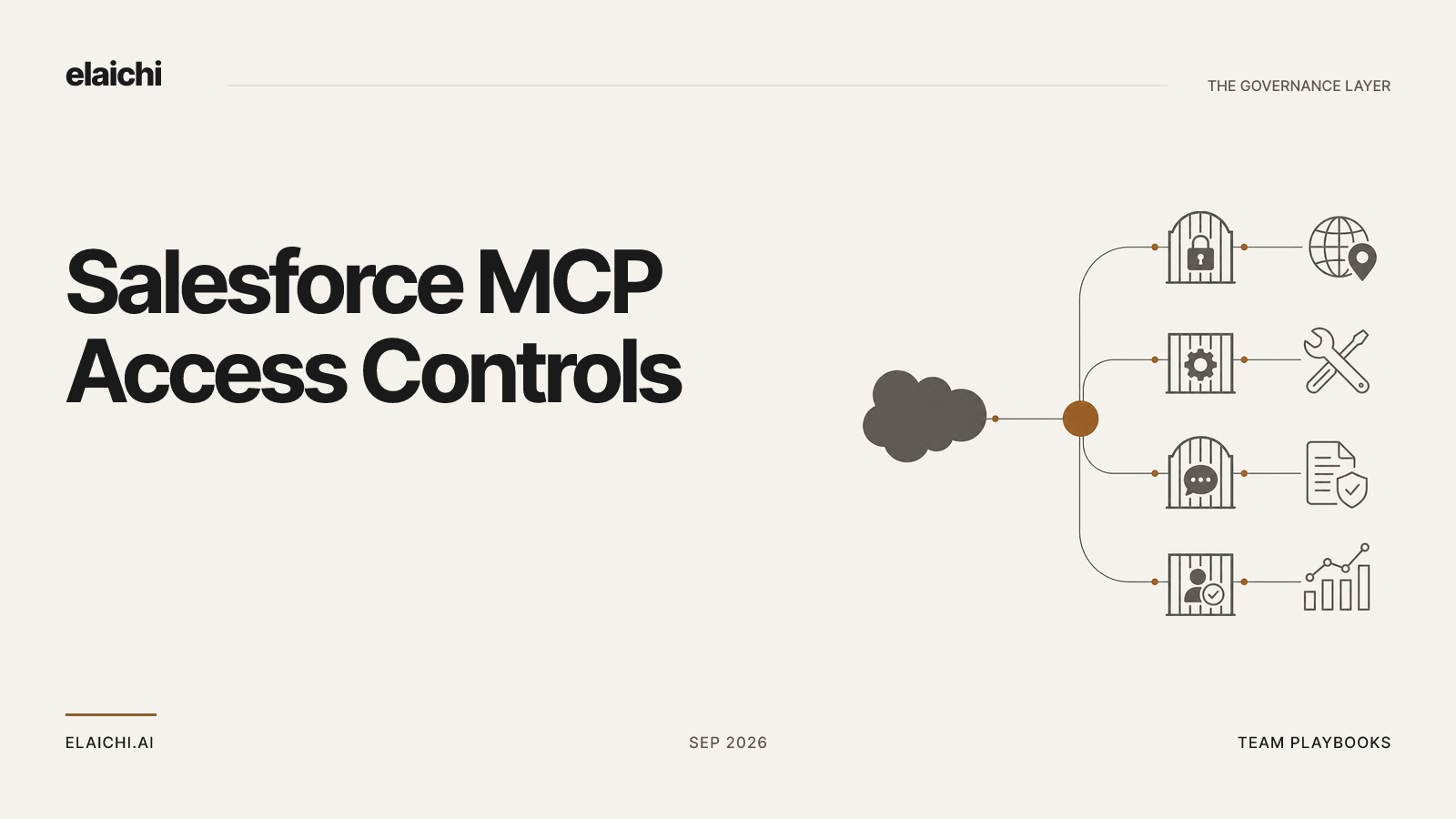
A rep connects Salesforce, opens ChatGPT, and asks it to tidy up close dates on everything slipping this quarter. The model finds a tool that writes to an opportunity. It also finds one that writes to many opportunities in a single call, and one that deletes them. Nothing in the prompt asked for either. The question for whoever runs IT is not whether the model behaves. It is what the endpoint would have permitted if it had not.
This is not a Salesforce-specific problem, and it is not specific to one vendor's gateway. Any system that exposes CRM write operations to an LLM through MCP has to answer three questions independently, because each one fails a different way:
| Layer | Question it answers | Typical failure if collapsed into one rule |
|---|---|---|
| Reach | Which account/data can this identity see at all? | Org-wide credential sharing; one leaked key exposes every record |
| Operation | Which tools exist for this identity? | A flat allowlist that can't distinguish "read one record" from "delete a thousand" |
| Argument | Which fields can be set, and to what? | A tool that's "safe" by name but has an unrestricted owner/status field |
Most MCP access-control setups only implement the middle layer, a static list of enabled tools, and stop there. That leaves argument-level risk (a model reassigning an owner field through an otherwise-approved "update" tool) and reach-level risk (which underlying account the tool actually executes against) unaddressed. Elaichi implements all three as separate, independently-enforced controls: sharing (reach), restrictions (operation), and frozen parameters (argument). The rest of this post is the concrete mechanics of each layer, using Salesforce as the worked example.
Layer one: the rep reaches their own accounts because sharing is a grant
Resource access in Elaichi has one primitive: a grant of view, use or edit on a resource, issued to a user, a team or the whole organization. A member sees what they own and what was explicitly shared with them, and nothing else. No org-level permission widens that listing quietly, org owners and admins included. If an admin needs sight of a rep's private connection, somebody has to share it explicitly.
That primitive does the work here. Each rep connects Salesforce under their own login. The connection is theirs, so the rows the model can read are exactly the rows that Salesforce user can read. Elaichi is not filtering records by owner; Salesforce is, using the permissions your admin already set there. Be explicit about that boundary internally: Elaichi's grant system controls who can invoke the connection, not which Salesforce records that connection can see. Salesforce's own sharing rules and profile permissions still do that filtering. Conflating the two is the difference between a control you can defend in an audit and one you only assumed existed.
When a rep does need somebody else's reach, share the connection rather than the credential. Sharing issues a grant of use on the connection. Connector credentials never live in Elaichi at all; a separate credential service holds per-account secrets, encrypted at rest, and read-back of an account's configuration returns public values plus secret_paths, the list of dot-paths that were encrypted, carrying none of their values. That is the pattern for a sales engineer who needs to read the AE's opportunity but should never hold the AE's Salesforce session.
One caveat worth writing into your offboarding runbook: a private connection is not transferable. A credential only its owner could ever use does not become somebody else's because its owner left. A toolbox entry is the record that binds a specific resource, a specific connector operation, and the grants/restrictions layered on top of it. If one of those entries references a departing rep's personal connection, removal is refused until that entry is resolved: transfer to the org or a team, re-pin to a different connection, or delete the entry.
The three tools every Salesforce restriction should carry
restriction targets are role or user only; the organization default is the absence of a rule, which means allow everything. So the rule you want lives on the sales role, and it should always block these three classes of tool:
- The bulk writer. Any operation that updates many records in one call (e.g., Salesforce's
updateMultiple-style bulk operations exposed via API). A single mistaken argument becomes a thousand mistaken records, and the rep reviewing the model's output sees one tool call, not a thousand changes. - The mass deleter. Deletes are the class where the recovery path leaves your systems entirely. Salesforce's Recycle Bin has retention limits, and hard-deleted or purged records are gone. A support ticket with the vendor is your best remaining option. Block it at the role and grant it, if ever, to a named user who explicitly expects to hold it.
- The raw query or statement runner. Any tool that takes a query string (SOQL) or script as its argument. Its blast radius is not visible in its arguments, so neither a human reviewer nor an automated classifier can tell a read from a write until it has already run.
Two mechanics matter when you write the rules. First, blocks always beat allows, and allow rules and block rules each union within the winning layer, so adding a block is always safe and never widens anything. Second, the allowlist stage engages on the presence of an allow rule, not its contents, so an allow rule that names nothing denies everything. That is the strictest rule the system can express, and teams write it by accident while building a list, then wonder why nothing works.
The third mechanic is precedence. A user-targeted rule replaces the role rule for that user entirely rather than layering on top of it. Write a one-off exception for a sales manager and the three role-level blocks stop applying to that manager. If the manager still needs to be blocked from the mass deleter, the user rule has to restate that block explicitly. It does not inherit it.
Rules are written against a connector and tool, but the canonical operation is pinned against the catalog at write time. A block matches on the tool name or the pinned operation; an allow matches on the pinned operation only. A tool's advertised name can be edited by whoever maintains the connector's documentation, so the name is a token the governed party controls. Governance binds to the operation instead, which is not editable from outside.
Enforcement runs at four points against the same resolver: browse, connect, advertise and execute, plus a final check on the fully substituted outbound URL. The point that matters most for sales teams is advertise. A tool blocked for the sales role is never listed to a member of that role, so the model does not know it exists to attempt it. You are not relying on the model refusing a call; you are relying on the tool being absent from what it can see.
Comparison with simpler approaches, for evaluators weighing alternatives:
| Approach | What it controls | Where it breaks |
|---|---|---|
| One shared API key, no per-user scoping | Whether the org can reach Salesforce at all | All-or-nothing. A leaked key or a bad prompt has full account privilege |
| Static per-tool allowlist, no argument control | Which operations are exposed | An "allowed" update tool can still write to unintended fields (e.g., owner, stage) |
| Reach + operation + argument, enforced independently (this model) | All three, separately | Requires three decisions per role instead of one, but each layer fails in isolation and is auditable separately |
Freeze the owner field so the model cannot reassign pipeline
Blocking operations does not stop the operations you kept from doing something you did not intend. An update-opportunity tool with an owner field in its schema is a reassignment tool, and a model doing helpful cleanup will populate fields it was given the option to populate.
Frozen parameters are a per-entry map over the tool's flattened argument space, and they have two effects. The frozen key is stripped from the advertised schema, so the model never sees the owner field at all, and it cannot request what it cannot see. The frozen value is merged over caller arguments at execution time, so passing the key anyway cannot un-freeze it. Full precedence order is: entry defaults, then caller/model arguments, then frozen parameters. Frozen always wins.
Pin the owner field on the sales toolbox entry and reassignment stops being reachable through this path. State the trade-off plainly to the sales ops lead before you ship it: legitimate reassignment now has to happen directly in Salesforce, or through a separate toolbox entry pinned specifically for managers. Freezing a field is a decision about who does that work, not only about what the model is capable of.
Pointing ChatGPT at one endpoint
There is one organization-wide MCP endpoint, POST /mcp, using standard MCP over Streamable HTTP, behind OAuth. No per-user URL, no embedded token, nothing to mint or revoke per rep. Point ChatGPT at it from the admin console, point Claude and Cursor at the same address, and the grant is the only thing that varies per person. Salesforce is one of 450+ in the connector catalog, and the same three layers govern every one of them.
If you are coming from a setup where each rep holds a distinct MCP URL, the shift is worth reading about on its own terms: the URL stops being the credential, and revocation becomes a write to the grant record rather than a hunt for who has which address.
Expect the connected tools to collapse behind two generic entries, search_tools and execute_tool, once a client crosses 30 tools, counting control-plane catalog operations and connected tools together. A single connected Salesforce account with its default tool set typically crosses this threshold on its own, so collapse is the normal case, not an edge case. execute_tool is only a naming indirection: it unwraps to the same underlying tool name and arguments and falls through the identical enforcement gates, so there is no privilege gained or lost by going through it. Tools withheld by a restriction are excluded from the 30-tool count entirely, because they were never handed to anyone in that role.
Two gates sit above all of this. tool:execute gates the whole endpoint ahead of every other scope check, and the Guest, Auditor and Billing Admin roles do not carry it. Those roles cannot call the MCP endpoint at all, by design. OAuth scopes ladder separately from role restrictions: a connected tool whose underlying method is a delete requires the mcp:destructive scope regardless of any restriction rule, and a tool classified forbidden is unreachable under any scope, full stop.
One limitation worth recording in your own design doc: the prompt-injection write gate that applies in the interactive agent chat window does not apply to POST /mcp, and structurally cannot, because an MCP server never sees the user's original prompt, only the tool call the client's model generated. What protects the endpoint instead is role-based access control per operation, the forbidden classification, output redaction, OAuth scope limits, and full audit logging (below). These are different controls solving a different part of the problem; don't assume MCP inherits the chat window's prompt-injection defenses.
The audit query that proves the block is doing work
A restriction nobody has tested is a belief, not a control. Run this monthly.
Filter the audit trail to members of the sales role, over the last 30 days, and read the entries whose actor kind is ai_assistant. actor_kind is a field recorded at write time, not inferred later from a user agent string; its possible values are user, system, scim, api_token and ai_assistant. Then filter by free text on the Salesforce connector label and read the failures.
The trail records one entry per tool-call attempt, succeeded or failed, taken from the execution itself rather than from the model's stated intent. That distinction matters because it's the field that answers the first question anyone asks after an unexpected change: which connected account did the write actually land in. Each record carries the operation and tool name, the connection used, the classification (allowed, blocked, forbidden), whether it was approved, the outcome, and an error code only if it failed. Argument names and argument counts are logged; argument values are never logged. The query will tell you a bulk update was attempted with four arguments, but not which records were named in it.
Read the result two ways:
- Denied attempts on the bulk writer or mass deleter mean the rule is load-bearing. It caught something the model tried. Keep it, and treat it as evidence the risk was real, not hypothetical.
- Zero denials over a month means one of two things: either the model never reaches for those tools (in which case the rule costs nothing to keep, and you keep it as insurance), or the tools were never advertised to that role in the first place because a different rule already excludes them. Confirm which one is true. Don't assume the first.
Give the compliance reviewer who runs this an Auditor seat: a read-only role with no ability to execute tools or modify configuration, and it doesn't count toward billable seats, so there's no license trade-off in giving oversight access.
The trail is append-only, newest-first, cursor-paginated, and eventually consistent. A row may take a moment to appear after the call it describes. Forwarding to your own SIEM works today for Datadog; Splunk HEC and Microsoft Sentinel integrations are built but not yet delivering in production.
What propagates slowly, and what takes one call
Role and restriction changes resolve through a 60-second cache plus edge propagation, consistently across every surface: MCP, console, and REST alike. Budget about two minutes before treating a newly-written rule as live everywhere. If a rep is mid-session when you add the mass-delete block, do not assume their very next call is already covered by it.
Three changes bypass that cache and take effect immediately, because they read from source on every call instead of from the cached policy set:
- The OAuth grant's
revoked_atfield is re-read from the org store on every single call, with no caching layer in front of it. - Removing or suspending a member revokes every one of that member's live grants in the same transaction as the membership change. Not eventually, atomically.
- removing or suspending a member revokes every live grant in the same transaction as the membership change
For everything else, including new restrictions, new frozen parameters, and new sharing grants, wait out the propagation window, then verify with the audit query above rather than assuming.
When a sales team does not need any of this
If your reps hold a read-only Salesforce profile and no write scope exists for them in Salesforce itself, a restriction layer on top adds paperwork without adding safety. Fix the Salesforce profile instead, since that's the actual point of enforcement. If exactly one person is experimenting with Salesforce in Cursor on their own account, that's a conversation with that person, not a case for a control plane.
Governance earns its cost at a specific, identifiable threshold: more than one AI client is pointed at more than one shared Salesforce account, and you can no longer answer from memory which account a given write landed in. In practice, that threshold shows up as the audit question. When someone asks what the assistant changed last Tuesday and the honest answer is "we can't reconstruct that," the three layers above are the cheapest way to make sure that's never the answer again.
Sales is one of twelve teams covered on the use cases page; the same three-layer model (sharing, restrictions, frozen parameters) applies with different tools underneath for finance, support, and the rest. Pricing is $15 per user per month on the Gold tier (Gold includes the restriction and frozen-parameter controls described here; Auditor and Guest seats are read-only or gated and don't count toward the billable total), with a 14-day trial, no credit card to start. Checkout does collect a card, and it sets the paid trial to the remaining days rather than granting a fresh 14, so it is one continuous trial rather than two. The security overview covers data residency, audit log tenancy, and the offboarding preflight referenced above in more detail.