Why Confluence in ChatGPT takes a second step
Someone asks ChatGPT what the incident runbook says, and ChatGPT has nothing to read. Confluence is not one of ChatGPT's built-in synced sources: those are Google Drive, SharePoint and Teams only (help.openai.com, checked October 2026). To reach Confluence, ChatGPT has to go through MCP. MCP (Model Context Protocol) is the standard way an AI assistant calls tools in other apps.
Two routes implement that for Confluence. Atlassian runs its own remote MCP server, surfaced in ChatGPT as the "Atlassian Rovo" app. Elaichi serves a confluence connector through one organization-wide MCP endpoint, alongside the rest of a catalog of 600+ connectors. Both can preserve a person's own space permissions when configured correctly. They differ on how many apps and how many AI clients one setup covers, and on what a security team can see and restrict afterward. The comparison is laid out below.
The requirement that decides between them is blunt. A person with no access to the Security space must not read its pages through an assistant. That holds only when every call runs with that person's own Confluence identity, not a shared one.
| Atlassian Rovo MCP | Elaichi confluence connector |
|
|---|---|---|
| Endpoint | https://mcp.atlassian.com/v2/mcp, Atlassian-hosted |
https://api.elaichi.ai/mcp, one endpoint for the whole app catalog |
| Supported clients | ChatGPT, Claude (named by Atlassian) | Any MCP-capable client, including ChatGPT |
| Apps covered | Atlassian products only (Confluence, Jira, etc.) | Confluence plus the rest of 600+ connectors behind one endpoint |
| Identity model | Per-user OAuth 2.0 (3LO); "never grants access beyond what the user already has" | Per-user OAuth via template stamping, or OAuth client credentials for a shared service identity |
| Tool-level control | Read, Write and Search toggles per app | Per-tool and per-app allow/block rules per role |
| Usage cost | Some search calls cost 1 to 10 Rovo credits; single-product lookups and writes are free | Per seat on Elaichi's plan; no per-call charge |
| Admin kill switch | Domain allowlist and Read/Write/Search toggle; no single "turn off MCP server" control documented | A restriction change takes effect within about two minutes; disconnecting an account takes effect on the caller's next request |
How do Confluence space permissions survive the hop?
They survive when the connection is per person and the sign-in is OAuth. OAuth is the sign-in flow where someone approves an app in the browser and no password or API key is copied anywhere. Atlassian is explicit that OAuth 2.0 (3LO) apps act on a user's behalf, and that "Confluence permissions also control access to data and aren't overridden by scopes" (developer.atlassian.com, checked October 2026). A broad scope does not widen what someone can see. A call made with a person's own credentials sees what that person sees in the browser, and nothing else.
That matters because Confluence permissions are not flat. Space roles (Admin, Manager, Collaborator, Viewer, plus custom roles) decide who works in a space. A page-level view restriction hides a page even from people who hold space view (support.atlassian.com, checked October 2026). On Premium and Enterprise, an organization admin can still override page restrictions with an admin key. That is the one documented exception to "the viewer sees only their own permissions."
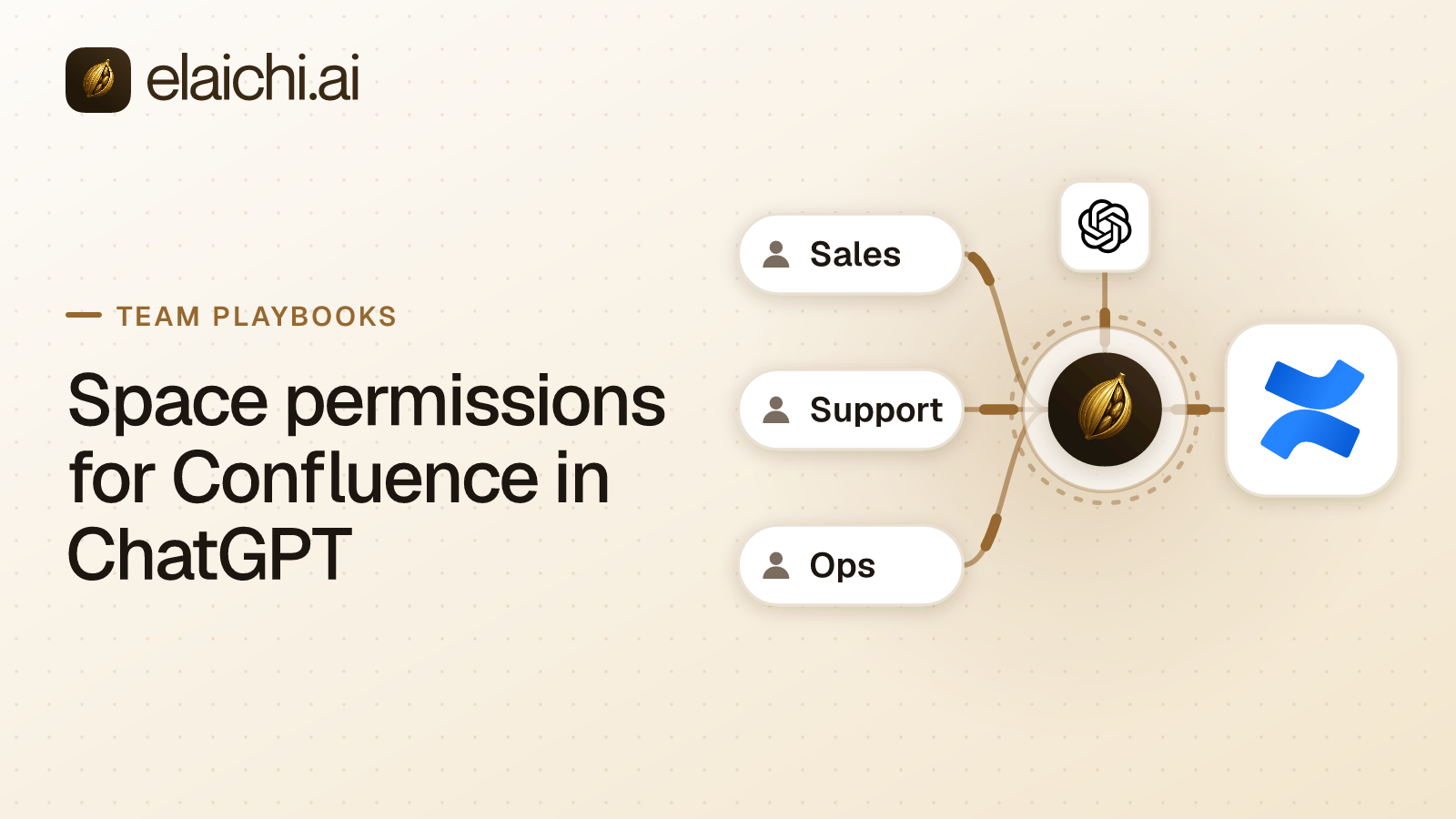
In Elaichi, per-person identity comes from a template, not from a shared toolbox. This is Elaichi-specific mechanics, not an Atlassian concept. A template holds a tool list with overrides and defaults, and never holds a connection itself. Share it with the team at use, and each member stamps their own toolbox from it. Stamping binds each entry to the stamper's own Confluence connection, so every call reaches Confluence as that member, under that member's space roles. The same pattern, applied to a CRM, is written out in the per-rep Salesforce rollout.
Sharing one toolbox does the opposite. A shared connection runs on its owner's credential, so every call lands as that single account, and space roles stop following the person. Elaichi's confluence connector also accepts OAuth client credentials, which sign in as one identity for everyone who uses it: useful for a scripted or scheduled job, wrong for a human reading team. Rule of thumb: client credentials for a scheduled job that should run as one service identity; per-person OAuth wherever space permissions should follow the person.
When is Atlassian's own MCP server enough?
It is enough when one AI client talks to Atlassian products and nothing else. Atlassian's remote MCP server sits at https://mcp.atlassian.com/v2/mcp and "never grants access beyond what the user already has" (developer.atlassian.com, checked October 2026). It has been generally available since 4 February 2026 (atlassian.com, checked October 2026). It names ChatGPT and Claude as supported clients (support.atlassian.com, checked October 2026). It is open to all Atlassian Cloud customers with hourly call limits by plan (atlassian.com, checked October 2026). It can create and update Confluence pages (support.atlassian.com, checked October 2026). Some search calls cost 1 to 10 Rovo credits each, while single-product lookups and writes are free (support.atlassian.com, checked October 2026).
The admin controls are real, not theoretical. Under Atlassian Administration, then Rovo, then Rovo MCP server, an admin allows or blocks Atlassian's default domain list as a whole, and that list includes chatgpt.com. Your own domains can be added, and API tokens turned on or off (support.atlassian.com, checked October 2026). A Permissions tab turns Read, Write and Search on or off per app, and overrides Connected apps settings (support.atlassian.com, checked October 2026). No documented single switch turns the whole server off.
Two broader Atlassian controls sit underneath that. "Block user apps," under Connected apps, is available on every plan, and user-installed apps are allowed by default (support.atlassian.com, checked October 2026). The policy now called "Marketplace and custom app access" blocks all apps on any plan, but choosing which specific apps to allow back in requires Atlassian Guard Standard or Premium (support.atlassian.com, checked October 2026). Budget for that licensing tier before planning an allowlist. It is a real cost of the "allow specific apps" path, not a footnote.
The decision point is concrete, not a matter of preference: if the tools in scope are only Confluence and Jira, and ChatGPT is the only client reading them, Atlassian's server plus its native Read/Write/Search toggle and domain allowlist are sufficient. There is no permission gap for an aggregator to close. The case for a second endpoint shows up once any of these is true: a second AI client is in play (Claude plus ChatGPT, say), the same team also needs Zendesk, Slack or Salesforce behind the same assistant, you want one restriction written per role instead of one per app's native console, or you want one audit query that spans tools instead of stitching logs from each vendor's admin panel by hand. Outside those conditions, a gateway you do not need yet adds an endpoint to secure without closing a gap that existed.
Which of the 18 Confluence tools should a reading team keep?
Keep the 15 reads and block the 3 writes. Elaichi's confluence connector carries 18 tools (live catalog, read October 2026). The reads cover pages, spaces, CQL search, attachments, labels, users, groups, a user's groups, accessible resources, the signed-in user, and list_all_confluence_audit_logs.
The writes are create_a_confluence_page, update_a_confluence_page_by_id and confluence_groups_remove_member. The update tool does more than edit text: it can move a page under another parent, transfer its owner, and restore a trashed page, any of which changes who can see what afterward. The group-removal tool is a delete that removes a user from a Confluence group, an admin-level action no ordinary reading role needs. The same shape of decision, applied to contracts, is worked through in the Ironclad playbook for legal.
Write this as blocks on a role, not as an allow rule. An allow rule is that role's entire allowlist across every connector the role touches, so naming only Confluence read tools in one would silently deny Zendesk, Slack and everything else the role uses, a side effect that is easy to miss until someone reports a missing tool weeks later. Blocks on the three writes leave the rest of the role's apps untouched. Blocks also match on the tool name or the pinned operation, which is why a block holds when a tool is renamed. The general choice between a tool-level block and an app-level block is laid out in six worked cases.
Do not try to get the same result from ChatGPT's own per-action switches. To ChatGPT, Elaichi is one custom app whose tools are search_tools, execute_tool and Elaichi's own operations, because connected tools are never listed one by one, however few there are. So ChatGPT's per-action switches cannot tell one connected app or tool behind it from another. The only place "read-only Confluence, except for this one admin" can be expressed precisely is inside Elaichi's restriction layer, not inside ChatGPT's settings.
Setting it up, in the order that works
Decide the Atlassian side first, then ChatGPT, then the restriction, then the people. Each step is short, and the order avoids a half-connected team where some members have stamped a template and others are still sharing one account.
- Settle Atlassian's app controls. If you are allowing specific apps rather than blocking all of them, confirm you hold Atlassian Guard Standard or Premium before you plan the allowlist.
- Add Elaichi in ChatGPT. An admin creates the custom app from the workspace admin console and publishes it; full MCP support is in beta on Business, Enterprise and Edu plans (help.openai.com, checked October 2026). The address is
https://api.elaichi.ai/mcp, and the walkthrough is in the ChatGPT connection guide. - Write the restriction on the role that will read Confluence. Block the three write tools named above. A restriction change takes effect within about two minutes, on every surface: ChatGPT, Claude, or any other connected client.
- Build the template from the Confluence tool list and share it with the team at
use. - Each member connects their own Confluence account and stamps the template. The resulting toolbox runs on their connection, under their own space roles, not the admin's who built the template.
- Each member signs in from ChatGPT. On Elaichi's consent screen they pick the organization and tick "Run your connected tools," then choose "Only the ones I pick" and select the Confluence toolbox. "Delete data and remove access" is never pre-ticked; leaving it off keeps the group-removal tool out of both the active toolset and search results.
A missed scope does not fail silently. The endpoint answers with an in-band tool error naming the checkbox and telling the person to reconnect and allow it. Reconnecting fixes it, as long as the client asked for that scope in the first place. If the client itself never requested the scope, reconnecting alone will not surface it.
One line worth putting in internal onboarding instructions: Elaichi's consent screen warns that anyone can register an app under any name and logo, and shows the redirect host. People should only continue from a sign-in they started themselves, not one they were sent a link for.
What the audit trail shows after a page edit
Elaichi writes one entry per tool-call attempt, succeeded or failed. Each entry names the Confluence account actually reached, not a generic "ChatGPT" actor.
Audit events and application logs share one record shape, so a single query answers what happened instead of correlating two systems by eye. Each entry also records the surface and the OAuth client. ChatGPT is among the clients whose redirect URIs mark the client name as verified, so a Confluence page created from ChatGPT is attributable without guessing from a user-agent string. The approval line on an MCP call reads along the lines of "Allowed by the access ChatGPT was granted." A call from an MCP client is recorded with actor_kind user, not as an assistant, and the distinction matters for anyone reconstructing who actually approved a given write.
The trail is append-only, newest-first, filterable by actor, category and time, and eventually consistent, so a row can take a moment to appear after the call completes. A departed member renders as "Former member" rather than disappearing from historical rows. The audit trail inside Elaichi is included on the Gold plan. Forwarding it to your own Datadog comes with the Black plan, launching soon.
What this setup does not do
It does not change anything inside Atlassian. Removing someone in Elaichi ends their access through Elaichi only. In Elaichi, removing or suspending a member revokes every live grant in the same transaction as the membership change. Their Confluence account still exists, and it must be deprovisioned in Atlassian or through your identity provider separately. Elaichi offboarding and Atlassian offboarding are two different actions. Revoking a share or disconnecting an account takes effect on the caller's next request; role and restriction changes take effect within about two minutes.
It does not defend the endpoint against prompt injection. An MCP server never sees the user's prompt, so a prompt-level filter cannot exist at that layer by construction. What does hold at the endpoint: role permissions per operation, restrictions, OAuth scope limits, output redaction and full audit logging. If prompt injection is the threat model, the control has to sit somewhere else in the stack. This setup addresses permission scope, not prompt content.
It does not make per-person identity automatic. If somebody shares a Confluence connection instead of stamping the template, every call runs as that owner regardless of who is typing in ChatGPT. The only way to verify the setup is correct is to check the connections themselves, not to assume intent from how the template was distributed.
For the tool lists behind each app, see the connector catalog. The wider shape this sits inside is covered in the control plane explainer, the same per-person pattern for a different app is in the Salesforce rollout for sales, and the ChatGPT-side switches are compared in the Enterprise connector guide.