


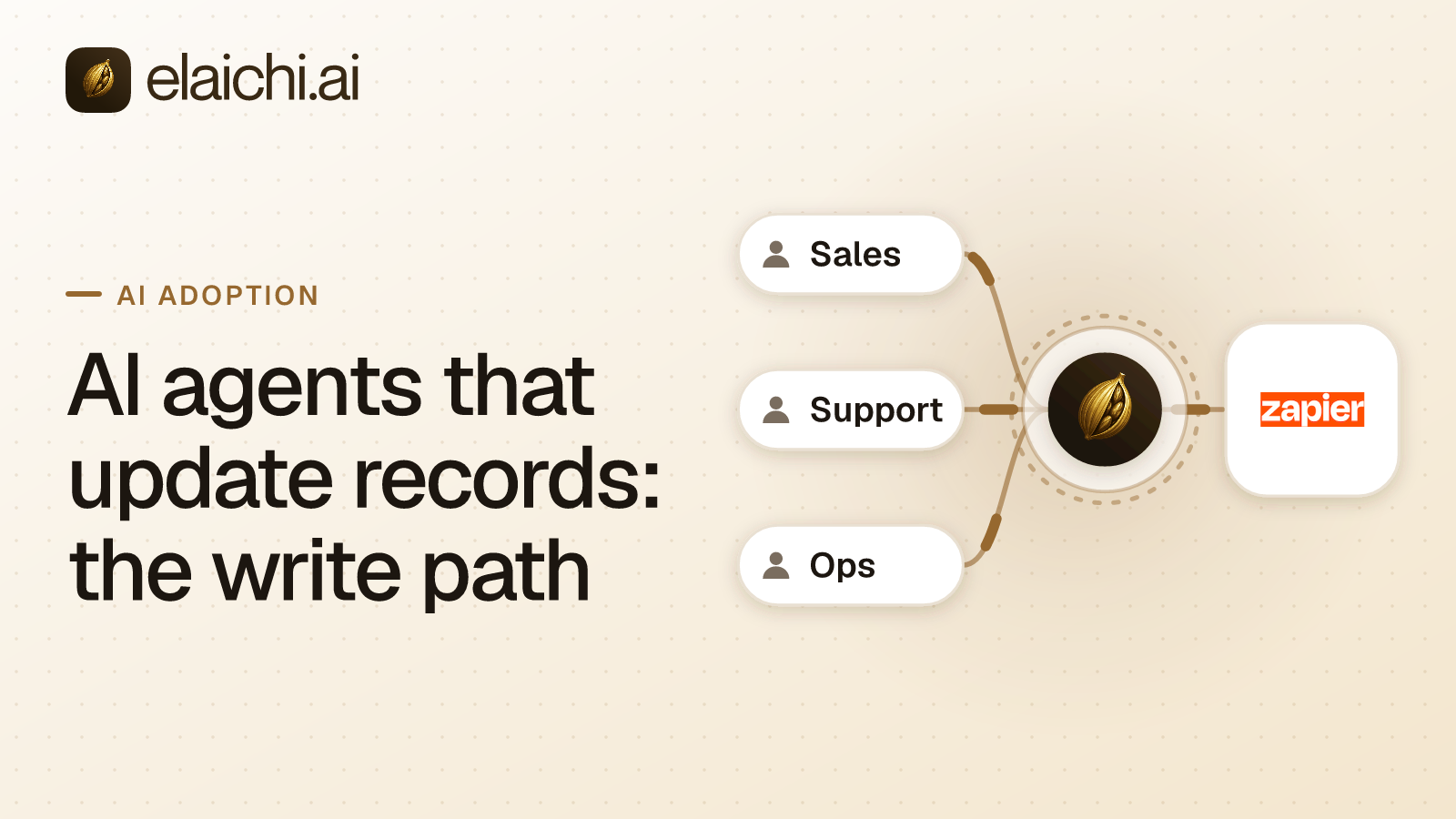
Why read-only stops paying off
Most companies start AI access read-only because it is the safe thing to ship. Six months in, the complaint is familiar: the assistant can tell a rep the deal is stale, and then the rep goes and updates it by hand. The second half of the work never moved.
Moving to AI agents that update records is not a toggle. It is four separate decisions, and each one lives in a different layer:
- Consent: what a person allows their own AI client to do (set by the person, at OAuth time).
- Restriction: which tools exist for that person at all (set by an admin, at role or member level).
- Approval: whether a specific risky write waits for a human before it runs (set by an admin, per workflow or action).
- Audit: whether you can answer, months later, who changed what and when (automatic, not configured per-call).
This is a general governance model, not unique to any one vendor. It maps onto standard RBAC-plus-approval-workflow thinking. What follows uses Elaichi's own implementation of each layer as the worked example. Terms that are Elaichi-specific are flagged as such: toolbox, frozen parameters, Black plan. The post closes with a direct, criteria-by-criteria comparison against Zapier MCP and Composio. All three get shortlisted for the same problem, and all three solve for different buyers.
MCP (Model Context Protocol) is the standard way an AI assistant calls tools in other apps. An endpoint is the one URL a client calls. A grant is the record of what one person allowed one named client to do. A restriction is an admin rule saying which connectors and tools a role or a member may reach. These three terms recur through the rest of this post, in that exact sense each time.
What changes when agents write instead of read
A write is not a read with a different verb. Reads are idempotent and recoverable. A bad read wastes tokens. A bad write leaves a wrong owner on an account, a ticket closed that should be open, or a terminated employee still marked active. This is the general reason write access needs more gates than read access, whichever product enforces them.
The infrastructure consequence: every gate has to run before the call leaves, not after. In Elaichi, a connected tool call passes a fixed sequence, checked in this order. Failing any step stops the call before a credential is ever touched:
- The caller's role must hold the
tool:executepermission. - The grant's scopes must cover the call.
- The tool name must resolve on that grant's surface.
- The restriction clamp runs against the caller's own role and personal rules.
- Only then is the connection's credential fetched and the request sent.
Elaichi writes the record itself: one entry for each connected-tool call that reaches execution (a call refused earlier writes none).
That ordering matters for cross-app work. Take an agent that reads a ticket in Zendesk, updates an account in Salesforce and files a leave record in an HR system. That is three calls on three connections. Each one is clamped separately against the same person's access. There is no session-level permission decided once at the start. A grant that's valid for step one doesn't carry forward automatically to step three.
Tool tiering (general principle + Elaichi's implementation): any system governing writes needs a way to classify a tool's risk before deciding whether it needs stricter handling. Elaichi tiers each connected tool by HTTP semantics, not by the label the tool was given:
| Tool behavior | Tier |
|---|---|
HTTP DELETE, under any method name |
Destructive |
Method verb is GET or HEAD (includes tools named list or get) |
Read |
| Any other verb or a custom method | Write |
This tiering covers tools from Elaichi's own connector catalog. A tool on a remote MCP connector carries its own tier instead, taken from what the server says about it. readOnlyHint true makes it a read, and destructiveHint false makes it a write. Anything else, including no annotations at all, makes it destructive. Someone who manages the connector can lower a remote tool's tier per tool. That override is cleared if the server's own tier later rises above it.
The tier is re-derived at call time, not cached from when the client first listed the tool. A custom tool edited from GET to DELETE is dispatched as a delete, on the definition it has now rather than the one the client listed. If the tool, or a step of a synthetic tool, no longer resolves, the call is refused rather than run unclassified. This closes a specific class of drift bug: stale client-side tool metadata silently becoming a write path.
Consent scopes and role restrictions for AI agents that update records
Two separate things have to allow a write: the scopes on the person's OAuth grant, and the restrictions on their role. Neither substitutes for the other. Most teams get this part wrong on a first rollout. It is tempting to assume unchecking a write-sounding scope makes a connected app read-only. It does not.
Elaichi's consent screen draws four checkboxes, one for each scope that decides what a client can do:
| Scope | Checkbox label | Governs |
|---|---|---|
mcp:tools |
"Use your connected apps" | Running any connected tool, at any tier, including writes and deletes |
mcp:read |
"See your organization" | Reading Elaichi's own data |
mcp:write |
"Make changes" | Elaichi's own write operations, not a connected app's writes |
mcp:destructive |
"Delete things" | Elaichi's own deletes, not a Salesforce record delete |
There are six scopes in all. The other two, openid and email, are not checkboxes and decide nothing about tools: they only let the client read /oauth/userinfo. Every requested scope starts ticked except mcp:destructive, which is never pre-ticked even when the client asks for it.
The one fact that matters most here: mcp:tools alone runs every tier of connected tool, writes and deletes included. There is no separate scope that gates connected-app writes versus connected-app deletes. That distinction is made by restrictions, not scopes.
To hold a client to reads only, you have two options, not one:
- Pick a toolbox of read-only tools at consent time ("Only the ones I pick"), or
- Write a restriction that blocks write and destructive tools for that role.
For writes, the usual shape is the inverse. The grant holds mcp:tools, and the restriction decides which write tools are actually in reach. The consent screen does not.
Restriction mechanics:
- In Elaichi, restriction targets are role or user only; the organization default is the absence of a rule, which means allow everything.
- Within each layer, allow rules merge into one allowlist, block rules merge into one blocklist, and a block always beats an allow.
- A member's personal rules can only narrow what their role allows. They cannot grant something the role doesn't already permit.
- An allow rule that names nothing blocks every connector and tool for its target (turning on an empty allowlist), summarized in the UI as "Allows nothing. Every connector and tool is blocked."
Two common rollout shapes:
| Scenario | Rule shape | Why |
|---|---|---|
| Sales / CRM | Block rule on the Sales role naming destructive tools (delete account, delete opportunity, bulk operations); leave create/update reachable | Most of the role's work is legitimate writes; only a small named set is dangerous |
| HR | Allow rule naming the handful of tools the people team actually needs | The safe set is small and enumerable; defaulting to allow would require blocking everything else individually |
The CRM shape above is worked end to end, rep by rep, in letting agents write to Salesforce without bypassing field-level security.
Restrictions bind the operation, not the label. When a rule is saved, Elaichi looks each named tool up in the catalog and stores its operation beside the name. A block matches by name or by operation, so renaming a tool cannot slip it past a block. A vendor calling their delete endpoint archive_record doesn't bypass a block on delete operations. Full mechanics: why blocks match tool names but allows don't.
Restrictions are enforced at every point a member can reach a tool, not only at execution. That covers listing connectors, connecting an account, advertising tools to a client, saving a toolbox entry, running a call, and a final outbound-request guard. A tool restricted for the caller is left out of the tools advertised to the client, so the model is never offered it. That avoids the failure mode where a model repeatedly tries a tool it can see but can't use.
Propagation timing and its edge case. A role, team or restriction change reaches every surface within about two minutes, not instantly. Some changes land sooner: removing or suspending a member revokes every live grant in the same transaction as the membership change. The practical implication is simple. If you tighten a restriction in response to an incident, assume the old rule is still live on some surfaces until the propagation window closes. Do not treat a restriction edit as an instant kill switch. For an instant stop, revoke the grant, which uses the faster path above.
Approvals before a risky write runs
Approval works differently depending on where the call originates. Mixing the two up is the single most common rollout mistake.
Over MCP (from Claude, ChatGPT, Cursor or Microsoft Copilot), there is no per-call approval from Elaichi. The person's OAuth grant is the approval. They chose those scopes on Elaichi's own consent screen for that named client, and Elaichi runs every call that passes the scope check as already approved. Any per-call confirmation the person sees inside that chat client is the client's own prompt, not Elaichi's:
- Claude has its own approval settings for connector tools (support.claude.com, checked October 2026).
- ChatGPT may show an approval card for write actions depending on the app permission setting (help.openai.com, checked October 2026).
Those are client-side controls you do not administer. If you're designing a write-access program, do not assume the chat client's confirmation dialog is a governance control you can rely on or audit. It isn't visible to Elaichi's audit log at all.
So over MCP, the controls that actually bind an unattended or risky write are set beforehand: grant scopes, toolbox selection, role restrictions, and frozen parameters. Frozen parameters (Elaichi-specific term) lock an argument on calls running through a given toolbox entry. That is how you pin a write to one folder, one pipeline, or one record owner before the call is ever made. The model can see that a value is set, and often what it is, but cannot change it. Detail: lock AI agent tool arguments.
A real approval step, a named person saying yes before anything is sent, exists in two places, both gated to the Black plan:
| Mechanism | Where it runs | Options | Expiry/repeat behavior |
|---|---|---|---|
| Elaichi Agent approval card | Elaichi's console or Slack (not the MCP endpoint) | Deny, Always allow and Allow once in the console; in Slack, only Approve and Deny | A delete called directly asks every time; never remembered |
| Workflow approve step | Console, Slack, email | Named people or teams approve | 72-hour default expiry, then the step fails with approval_expired unless it is set to continue |
Failure mode to plan for: if a workflow's approve step expires before anyone responds, the step fails with approval_expired and the write does not run. The default window is 72 hours. A step can be set to carry on instead of failing. If your process requires a decision sooner, set that expectation on the people receiving the request. The system default is 72 hours regardless of how urgent the underlying write is.
No AI client, Agent, or workflow can answer an approval request. Only a person can; this is a hard rule, not a configurable one.
If your write program needs a human in the loop on specific actions, the honest architecture is simple. Route those actions through a workflow with an approve step, and leave everything else to restrictions. Do not plan on the MCP endpoint itself prompting for approval, because it structurally cannot. Approval and the MCP call path are separate systems. AI agent actions with approvals and audit trail walks through the Black-plan setup end to end.
The audit trail after the record changes
Every connected-tool call that reaches execution, and then runs, fails, or is refused there, writes one audit row. A call refused earlier, by a restriction that withheld the tool or a missing scope, writes no row. That refusal happens before any executor runs. There is a real gap here: a blocked attempt and a never-attempted call look identical in the log. If you need to detect "someone tried and was blocked" as a distinct signal, this audit model does not currently give you that.
Each row records:
- Acting person
- Toolbox the call went through
- Tool's advertised name and catalog name
- Connector and the specific connection reached
- Tool's tier classification (read / write / destructive)
- Whether approval was required and how it was given
- Whether a person edited the arguments
- Surface:
mcp,app,api, orconsole - MCP client id, when surface is
mcp - Outcome
- Target touched: resource type, an id taken from the URL path argument naming the object, a title from the response, and the object's own link
The console's detail panel renders this as a sentence, e.g.: "Using Claude, Emily Carter updated the page 'Q4 Roadmap' in Notion through the connection 'Acme Notion'."
Two honest limits, stated plainly:
- The row records no argument values beyond the one path argument, and no argument names or count. It tells you which record changed, not what every field became. If you need field-level before/after diffs for compliance, this log does not provide them natively. You'd need to pair it with the target application's own change history.
- Elaichi retains 90 days of audit history. If your obligation is longer, forward logs to your own store. A 7-year retention requirement is common in finance and HR contexts. Logging destinations are a Black-plan feature, and Datadog is the delivery target currently supported. Send audit logs to Datadog covers setup; audit log retention covers the 90-day-vs-7-year gap directly.
Read access to the log is role-gated, not open to everyone with login access. With the audit:view permission, held by Org Owner, Org Admin, and Auditor, a member reads every event in the organization. Without it, a member reads only their own events plus events on connections they own or can edit.
Client identity verification: an MCP client's name shows as verified only when every non-loopback redirect address it registered maps to the same known client. Exactly seven clients currently qualify: Claude, ChatGPT, Cursor, Grok, Perplexity, Mistral, and Devin. Anything else shows the name the client self-registered, flagged as self-reported. For a writes program, treat an unverified client name as a label a client chose for itself, not a verified identity. Do not build access decisions on an unverified name matching a string you expect. Security reviewers tend to ask about exactly this, and the MCP security review checklist covers the rest of that list.
Zapier MCP, Composio, and a governed control plane
All three expose tools to AI clients, which is why they land on the same shortlist. They are not substitutes for each other. They're built for different units of control and different buyers.
| Criterion | Zapier MCP | Composio | Elaichi |
|---|---|---|---|
| Unit of control | A per-user server: each user creates and owns their own servers on the Zapier account (Zapier docs, checked November 2026) | Calls from your own agent code, with access policies on top (composio.dev, checked November 2026) | Per-grant, per-role, centrally administered |
| Restricting which apps and actions are reachable | The account's app and action restrictions apply to Zapier MCP, and Workspaces restrict access by user (Zapier docs, checked November 2026) | Access policies decide what a connected account may do (composio.dev, checked November 2026) | Role and member restrictions, where a block beats an allow |
| Approval before a write | Not documented on the security page read (Zapier docs, checked November 2026) | Not documented on the homepage read (composio.dev, checked November 2026) | Approval cards and workflow approve steps (Black plan) |
| Logging | Per-user tool-call activity logs plus an account audit log (Zapier docs, checked November 2026) | A trace for each call (composio.dev, checked November 2026) | One audit row per executed call, 90-day retention, role-gated read access |
| Best fit | Teams working inside a Zapier account, exposing specific Zaps to an assistant | Teams building their own agents, and people connecting ChatGPT or Claude to Composio's own tools (composio.dev, checked November 2026) | Teams whose users are non-engineers (support, sales, finance) using off-the-shelf clients like Claude or ChatGPT, where an admin needs to set and audit access centrally |
Zapier MCP works inside an existing Zapier account. The per-person unit is the server, not the address. Each user creates and owns their own servers, one server can serve several of that user's MCP clients, and the endpoint URL is shared. The account's own app and action restrictions apply to Zapier MCP, Workspaces restrict access by user, and the account carries per-user tool-call activity logs as well as an audit log (docs.zapier.com/mcp/manage/security, checked November 2026). If your team already runs a large library of working Zaps and wants a no-code way to expose specific ones to an assistant, that shape fits well. The difference to weigh is where the decision lives. Zapier's unit is the account and each user's own servers; Elaichi's is the person's grant and the admin's role rule. Zapier MCP alternative goes through the comparison in more depth.
Composio presents itself both for teams building their own agents and for people connecting ChatGPT or Claude to its tools. It documents access policies, a trace for each call, SSO and SCIM (composio.dev, checked November 2026). If your project is engineers building a custom agent, the SDK is the right layer, and the access policies sit with the code that calls it. If your users are support, finance, and sales people opening Claude or ChatGPT, compare how each product expects access to be expressed. In Composio it is a policy alongside the agent. In Elaichi it is a role restriction an admin writes once for every client. Elaichi vs Composio covers the comparison in more depth.
Elaichi is a governed MCP control plane: one address, https://api.elaichi.ai/mcp, that Claude, ChatGPT, Cursor, and Microsoft Copilot all sign into with OAuth. The same address serves every organization. Which organization, person, and tools a client reaches comes from the grant behind its token, not from the URL. Each person connects their client once and approves their own grant, and every call runs as them.
The catalog holds two kinds of connector:
- Elaichi-authored connectors, most of the catalog, which Elaichi builds and runs itself.
- Native MCP connectors, where the vendor builds and runs its own MCP server and Elaichi handles sign-in, access, and audit in front of it.
Restrictions, scopes, and the audit log work identically across both types. A team on Gold or Black can also bring its own remote MCP server in as a connector under the same rules.
When you do not need any of this
If one person is the only one using AI against your apps, and they already hold every permission in those apps, a control plane doesn't add anything. Connect the vendor's own MCP server, or use the native connectors in Claude or ChatGPT, and revisit when a second person asks for access. When you don't need an MCP gateway yet is the longer version of that argument.
If your agents only read, the write path in this post is work you have not earned yet. Read-only ChatGPT access to your company apps is the smaller setup, and staying there is a legitimate choice, not a stopgap.
If every write you want is a scheduled, deterministic sequence with no model judgment involved, an automation platform is a better fit than an AI client. You don't need scope/restriction/approval machinery for a job with no decision in it. Automation platform vs MCP access draws that line.
When you are ready to build the write path, the practical order is short. Connect the apps, write the role restrictions, hand out the grants, then read the audit log for a week before widening anything. MCP control plane setup checklist has that first week laid out in detail, and the 650+ shows what's already available to connect.


 Add one link to your AI app
 ChatGPT
 Claude
 Cursor
 Microsoft Copilot