Why QuickBooks read-only cannot come from the OAuth scope
A controller wants the monthly profit and loss inside Claude, and nobody wants an AI client editing an invoice. QuickBooks read-only is not a setting you can turn on in QuickBooks. QuickBooks Online has exactly one accounting OAuth scope, com.intuit.quickbooks.accounting, and it covers reads and writes together. There is no read-only variant. Intuit's own developer documentation on scopes confirms this (developer.intuit.com). Intuit Developer Support's answer to "how do I make my app read-only" is that the app itself should only issue GET requests (help.developer.intuit.com, checked October 2026). The restraint has to sit in whatever calls the API, not in anything Intuit issues at authorization time.
The person who connects does not impose it either. Whoever authorizes the app grants the whole accounting scope to that app, for that company file, full stop. There is no per-user scope narrowing in QuickBooks' OAuth implementation. So a QuickBooks connection carries admin-level read/write reach regardless of who is asking the resulting question through an AI client.
The consent screen does not impose it. On Elaichi's screen, ticking "Run your connected tools" enables a connected app's read and write tools alike. The checkbox does not distinguish by HTTP verb. Only a tool whose underlying method is a delete requires the separate "Delete data and remove access" box, which is never pre-ticked. "Create and change data" governs Elaichi's own control-plane operations (Elaichi's own records, such as connections and toolboxes). It has nothing to do with what the QuickBooks tools themselves can do. Do not tell a finance team that leaving a box unticked made their books read-only; it did not.
What does impose it is a restriction in Elaichi, the governed MCP control plane your clients call. MCP (Model Context Protocol) is the standard way an AI assistant calls tools in other apps. A restriction is a rule naming which connectors and which individual tools a role or a person may reach. It is checked at browse, connect, advertise and execute, plus a final check on the fully substituted outbound URL. This is the only layer in the stack where a read/write distinction can be enforced per person or per role. It sits ahead of QuickBooks, the consent screen and the client.
Register the Intuit app and store it in Elaichi
Open the QuickBooks connector in Elaichi's sidebar under Connectors. If the card titled Add your OAuth application is there, the organization supplies its own Intuit app before anyone connects. That takes connector:manage, held by Org Owner and Org Admin by default.
Create the app in Intuit's Developer Portal, under My Hub then App dashboard. Apps are not created inside QuickBooks itself. Production keys arrive only after Intuit approves an app assessment questionnaire; private, single-company apps need that review too (developer.intuit.com). Budget for that review cycle in your rollout plan rather than discovering it is a blocker on launch day.
In Elaichi, press Add OAuth app. Copy the read-only Redirect URL field with its copy button and paste it into the Intuit app's redirect URIs. Production redirect URIs in Intuit's implementation must be HTTPS, must match the registered string exactly (no trailing slash variance), and cannot carry query parameters (developer.intuit.com). Fill in Client ID and Client secret. Leave Scopes blank to keep the scopes Elaichi requests by default. A typed list replaces them wholesale. For QuickBooks it buys nothing, because the one accounting scope carries writes. Press Save OAuth app; the change lands in the audit trail as connector.oauth_app.updated, attributed to the admin who made it.
Nothing in the Scopes box buys read-only here. QuickBooks has one accounting scope and it carries writes (developer.intuit.com). Token refresh is not the finance team's job either. Elaichi's credential service owns refresh, and a failed refresh marks the connection needs_reauth rather than failing silently.
Connect the books once, then share them with finance
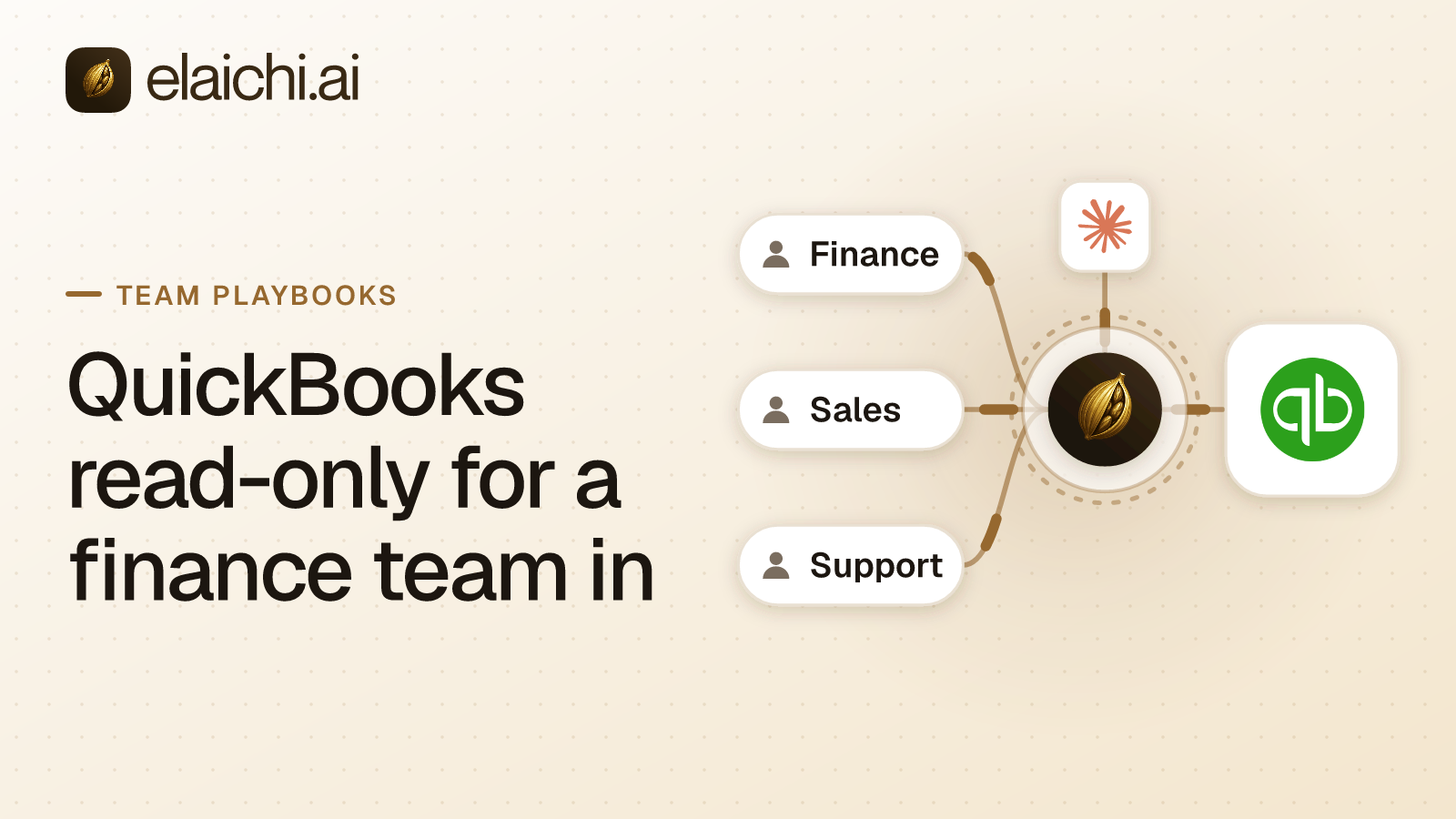
A QuickBooks admin connects the company file once in Elaichi, and that single connection is shared with the finance team at use. A shared connection runs on its owner's credential, so every finance member's call reaches QuickBooks as that admin account from Intuit's point of view. Elaichi still records which member made each call on its own side. So the audit trail does not collapse into one name, even though QuickBooks only ever sees one.
Use a connection share, not a template, for this shape. A template shared at use gives each person a toolbox bound to their own connection. That is correct when every member holds their own login in the underlying app, as with per-rep Salesforce access in ChatGPT. Finance has one set of books and typically one QuickBooks login. So one connection shared to the team is the correct unit, not one template per person.
Pick an owner who will stay. When an owner leaves, Elaichi's offboarding lists every connection they own. A shared connection the team depends on is deleted only if an admin explicitly asks for that. Otherwise the admin transfers it to another member. A transfer leaves every share exactly as it was. The credential behind the connection is still that person's sign-in to QuickBooks, so the QuickBooks side still needs its own deprovisioning.
Pointing the finance team's clients at the endpoint
Every organization uses the same address: POST https://api.elaichi.ai/mcp. Copy it exactly, with no trailing slash. Each member connects their own client and signs in, so each person holds their own OAuth grant against Elaichi. This is the identity Elaichi uses to attribute calls, independent of the shared QuickBooks credential underneath.
On Claude Team and Enterprise, an Owner adds it under Organization settings, then Connectors, then Add, then Custom, then Web. Members then connect it under Customize, then Connectors (support.claude.com). Note what Claude's per-tool permissions can and cannot do here. Elaichi's connected tools all route through a single Claude-visible tool, execute_tool. So a permission Claude lets you set on "that one tool" actually covers every connected tool across every connector at once. Claude cannot distinguish a QuickBooks report read from a QuickBooks invoice write at its own permission layer. That distinction exists only in Elaichi's restrictions, not in Claude's connector settings. Full walkthrough: connecting Elaichi to Claude.
ChatGPT Business, Enterprise and Edu have the same shape of limit. An admin publishes Elaichi as one custom app. The per-action read/write switches ChatGPT exposes sit on that single app, not on the individual tools or connectors behind it (help.openai.com). The admin-side steps are in the ChatGPT setup walkthrough. In both Claude and ChatGPT, the client's native permission UI is too coarse to do the job. The enforcement has to happen in Elaichi regardless of which client you use.
Write the allow rule that names the read tools
One allow rule on the finance role, naming the QuickBooks read tools the team actually uses, gives you QuickBooks read-only. In Elaichi, the allowlist stage engages on the presence of an allow rule, not its contents, so an allow rule that names nothing denies everything. The rule is the role's whole allowlist, not a QuickBooks filter. Once the finance role holds an allow rule, every connector and every tool that rule does not name is denied for that role. So the same rule must also name every other app the finance team uses. Whole connectors are fine for those. Otherwise the team loses those apps too. Name the reports they ask for (profit and loss, balance sheet), plus read operations over accounts, bills, vendors, invoices and customers. Every create, update and delete tool on the QuickBooks connector falls away without being individually blocked.
Four things to get right:
-
Restriction targets are role or user only. There is no organization target and no team target. Finance needs its own role, and each member holds exactly one role. A finance analyst is a Finance role holder, not also a generic Member with broader reach. Custom roles are a Gold-tier feature; see the pricing page for current plan contents. For how to shape the role itself, see designing roles for AI agents.
-
Do not name the whole QuickBooks connector and some of its tools in the same allow rule. The whole-connector entry wins and grants reach to all of QuickBooks; the tool-level entries in the same rule grant nothing additional. That is a silent over-permission if it saves. In practice Elaichi's API rejects the overlap on new rule creation rather than saving a rule that looks narrow but is not.
-
Allow rules match the operation pinned against the catalog at write time, not the advertised tool name; blocks match either. This asymmetry matters if a connector's tool names change upstream. Full reasoning: why blocks match names and allows do not.
-
A new rule is not instant. A restriction change takes effect within about two minutes. Do not test a new rule one second after saving. If the read tool still appears blocked immediately after you hit save, that is expected, not a bug.
If you would rather block the handful of dangerous writes than allowlist the reads, that trade-off is laid out elsewhere. See restrict one tool or the whole app. For books specifically, the allowlist is the safer default. A new QuickBooks write tool added to the connector later is denied by an allowlist automatically, with no rule edit required. A blocklist has to be updated every time the connector's tool set grows.
Check it from a finance account before telling the team
Sign in from a test account that holds the finance role and search. In Elaichi, connected tools are never listed one by one, however few there are. So the verification method is a search, not a browse. Ask the client for "invoice" and you should see something like get_single_quickbooks_invoice_by_id or list_all_quickbooks_invoices returned. The create and update tools do not appear in the result at all. Not greyed out, not listed as denied, simply absent.
A withheld tool is invisible, not disabled. It looks exactly like a tool the connector never had, because restrictions filter the tool index before the search runs server-side. The name never goes out over the wire to the client. Confirming that a specific tool is blocked, versus never having existed, requires an account holding restriction:view. The built-in Auditor role has it and a default Member does not. The Auditor seat is free and strictly read-only on the control plane itself.
Then run a profit and loss and read the resulting audit entry. Elaichi writes one entry per tool-call attempt, succeeded or failed. The entry also names the surface the call arrived on: Claude through the Elaichi connector, versus the Elaichi web Agent. It names the specific OAuth client it came through too. That is useful when the same person uses both Claude and ChatGPT against the same QuickBooks connection. You need to tell which session asked for what.
When somebody needs a write tool later, they file an access request, which any member can do with no permission required to initiate it. Approving a restriction-caused request opens that one tool for that one requester through a lasting except rule scoped to their user ID. It does not reopen the tool for the whole Finance role. Those approvals cannot be made from an MCP client or the Elaichi Agent itself. They must go through Elaichi's own admin surface. The separation is deliberate, so a compromised or over-eager AI session cannot self-approve its own elevated access.
Intuit's monthly cap on read calls
Every app sits on Intuit's free Builder tier by default. That tier caps data-out calls at 500,000 per month per app. Calls past the cap return an error rather than being queued or throttled gracefully (developer.intuit.com). Read-only access does not exempt you from this. Every read call your team makes still counts against that single number, shared across the whole company file connection.
AI clients are chatty. One question about a quarter can become several report calls: one per report type, sometimes one per month if the model paginates naively. A model that gets a truncated result may re-ask for the same data, assuming it failed rather than was trimmed. Elaichi caps a result at 32,000 characters per string and 200 items per array, and sets elaichi_truncated: true on the response when it cuts data. That is a signal your client should use to request a narrower query, not retry the same one. Elaichi also rate-limits a single token to 120 MCP requests per minute independent of Intuit's monthly cap. Narrow allow rules help on both counts: a tool nobody can call is a call nobody makes, which directly reduces pressure on Intuit's 500,000-a-month ceiling.
When Intuit's own QuickBooks options fit better
Sometimes the honest answer is that you do not need a control plane.
Intuit hosts a QuickBooks connector for Claude (announced April 2026). Intuit's own help documentation states it is for US customers, and that destructive actions require the user's explicit confirmation at the moment of the call. Its tool listing covers both reads and writes across invoices, estimates, customers and reports (quickbooks.intuit.com). You may be a US business where one or two people use it. If you actively want Claude to draft invoices rather than just read reports, that is the faster path to set up. A confirmation prompt asks the person in the moment and depends on them reading it. A restriction removes the capability before the question is ever asked. These are different security properties, not different strengths of the same one.
Intuit also publishes intuit/quickbooks-online-mcp-server, an open-source MCP server you run yourself. OAuth credentials go in environment variables, and three boolean switches (QUICKBOOKS_DISABLE_WRITE, QUICKBOOKS_DISABLE_UPDATE, QUICKBOOKS_DISABLE_DELETE) leave only read operations reachable (github.com). That is genuinely read-only, enforced at the server, for one analyst on one machine. The constraint is that it is per-machine and per-process. Five analysts means five installs, five copies of the client secret, and five sets of environment variables. All of them have to be kept in sync if a scope or credential changes. There is no shared audit trail across those five instances unless you build one.
Elaichi earns its place when the team is more than one or two people, and QuickBooks is one of several systems they ask about, not the only one. It earns it when someone has to be able to show an auditor who read what, when, from which client. Elaichi keeps one audit trail across every client and every connected app. The same connection-share-plus-allowlist shape applies to the rest of the finance stack. See Xero in Claude, without letting it edit invoices for the same pattern on a different ledger. For the control-plane concept itself, read what an MCP control plane is, and browse the 600+ connectors for the other apps finance already runs.